How to Choose Kennel Software: 10 Buying Factors
Why Choosing the Right Kennel Software Matters
Running a pet care facility means managing unpredictable daily realities. When boarding, daycare, and grooming share the same staff and space, communication gaps happen quickly.
Facilities that rely on paper diaries or basic spreadsheets eventually hit operational breaking points usually during peak holiday periods. A staff member might accidentally double-book a specific run, a dog might be checked in with an expired Bordetella vaccine, or a grooming appointment might collide with a boarding intake.
Dedicated kennel management software helps reduce these operational risks by giving your entire team a single, real-time view of what is happening in the facility.
What should you look for in kennel management software?
Short answer: Look for a system that provides centralized scheduling, comprehensive pet health records, automated vaccination tracking, billing capabilities, cloud-based access, cross-service reporting, granular staff permissions, daily data backups, and reliable customer support.
Match the Software to Your Facility Type
Not every pet care business needs the exact same toolset. Before evaluating vendors, identify your primary operational bottleneck.
| Facility Type | Highest-Priority Capabilities |
|---|---|
| Small Boarding Kennel | Basic scheduling, digital pet records, simple invoicing. |
| Boarding + Daycare | Capacity management, playgroup assignments, recurring daily scheduling. |
| Boarding + Grooming | Multi-service calendar coordination, staff appointment scheduling. |
| Large Multi-Service Facility | Granular staff permissions, automated reporting, integration options. |
| Multi-Location Operator | Centralized reporting, individual location management from a single dashboard. |
10 Things to Evaluate Before Buying Kennel Software
Rather than just looking at a list of software features, evaluate how a platform handles the actual daily realities of your business.
1. Scheduling and Occupancy Management
Can the system prevent a front-desk coordinator from accidentally overbooking a specific run type? A strong scheduling system should provide real-time occupancy visibility, ensuring your team knows exactly which suites are available without cross-referencing paper charts.
2. Pet and Client Records
A dog’s profile needs to hold more than just a name and breed. The system should allow your team to log behavioral notes, dietary restrictions, and emergency contact information in a way that is immediately visible to caretakers during feeding or playtimes.
3. Vaccination and Health Tracking
Missing an expired rabies or DHPP shot exposes your facility to health risks. Good software helps support compliance by tracking expiration dates and automatically flagging missing records before the pet arrives for check-in. (Note: Licensing and permit requirements vary by state and local jurisdiction. Always verify local health-related permits and animal-care approvals with your official local sources).
4. Boarding, Daycare, and Grooming Workflows
If you run a multi-service facility, your software must be able to handle cross-service coordination. When a client requests a bath before pickup, the system should allow you to add a grooming appointment to an existing boarding stay without creating a duplicate invoice or a calendar collision.
5. Staff Permissions and Accountability
What happens when two staff members modify the same reservation? Your software should track changes and offer role-based permissions. A kennel hand should have different access rights than a facility manager to protect sensitive business data.
6. Billing and Payments
Look for a platform that generates itemized invoices automatically based on the pet’s stay and services rendered. It should handle deposits, track outstanding balances, and securely log payment history to save administrative time at checkout.
7. Cloud Access and Data Backups
Because cloud-based software relies on the internet, confirm that the platform performs automatic daily offsite backups. You should be able to access the system from any web browser, whether you are at the front desk or checking occupancy from home.
8. Ease of Use and Staff Training
Staff turnover is a known challenge in the pet care industry. If a software system takes weeks to learn, onboarding new employees becomes a massive expense. The interface should be intuitive enough that a new front-desk hire can navigate reservations on their first day.
9. Data Migration and Data Ownership
Facilities moving from spreadsheets or older systems to dedicated kennel software often need to migrate more than basic contact information. Historical pet notes, vaccination records, and upcoming reservations may all need to be organized before launch. Ask vendors if migration is included, and crucially, ask who owns the data. If you ever leave the software, you need to know if you can export your client and pet records easily in a readable format without hidden fees.
10. Pricing Models and Vendor Support
How is the software priced? In the pet care industry, pricing models vary significantly. Evaluate whether the vendor charges:
- Per-pet pricing: Your bill goes up as you add more pet records.
- Per-user pricing: You pay more to give access to additional staff members.
- Booking-volume pricing: You pay fees based on how many reservations you take.
- Flat-rate pricing: You pay one predictable monthly fee regardless of growth.
Always calculate the total cost of ownership, factoring in potential setup fees, migration fees, and contract commitments. Finally, verify what level of customer support is included if your team gets stuck on a busy weekend.
Feature Evaluation Summary
| What to Evaluate | Why It Matters | Questions to Ask |
|---|---|---|
| Scheduling | Prevents booking conflicts | Does it show real-time occupancy? |
| Pet records | Reduces care mistakes | Can staff easily access feeding/medical notes? |
| Vaccinations | Supports health compliance | Are expiration dates flagged automatically? |
| Pricing | Predictable operating costs | Does the price increase with pet or client count? |
| Migration | Protects historical records | Is hands-on data migration included? |
| Permissions | Controls staff access | Can staff roles and access be customized? |
| Support | Reduces implementation issues | What training and ongoing support are included? |
Questions to Ask a Kennel Software Vendor
When you schedule a demonstration, use this checklist to uncover the operational reality behind the marketing claims:
- How long does implementation take?
- Is data migration included?
- Is pricing based on customers, pets, users, or bookings?
- Can staff have different access permissions?
- Can boarding, daycare, and grooming share one calendar?
- How are vaccination expirations handled?
- How frequently is data backed up?
- Can I export my data if I decide to leave?
- What training is included for my staff?
- What customer support channels are available?
Kennel Software Red Flags to Watch For
During your software evaluation, be cautious if you encounter these warning signs:
- Pricing structures are unclear or hidden.
- There is no clear way to export your own data.
- Migration and setup costs are hidden in the fine print.
- The system lacks customizable staff permissions.
- The calendar cannot handle multiple services (boarding + grooming) for one pet.
- The vendor cannot clearly explain the implementation timeline.
- Contract terms are difficult to understand or lock you in long-term without a trial.
Is K9Sky Right for Your Facility?
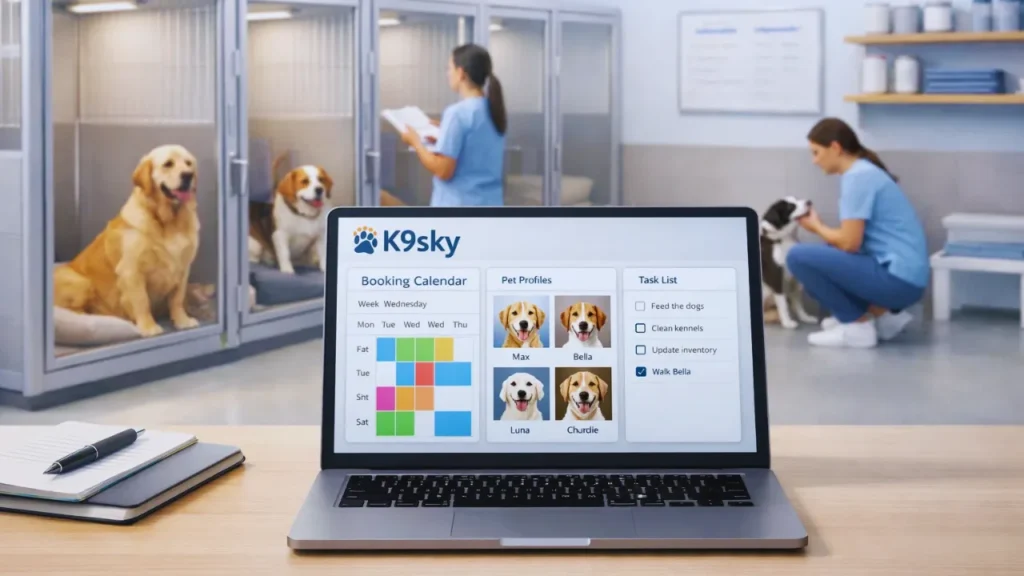
K9Sky is a web-based kennel management platform designed specifically for pet care businesses. We are not a one-size-fits-all tool, but rather a purpose-built system.
K9Sky may be a good fit for facilities that:
- Offer boarding, daycare, and grooming under one roof.
- Want predictable, flat-rate pricing instead of per-pet fees.
- Need guided data migration from spreadsheets or older systems.
- Want centralized pet records and vaccination tracking.
- Need simple staff training and role-based permissions.
- Want browser-based access from any computer or tablet (Note: K9Sky uses a mobile-optimized web portal and automated email communications).
For facilities moving to K9Sky, our team assists with data import and training to ensure you go live in roughly two weeks.
Ready to streamline your facility’s operations?
To see if the system fits your daily workflow, book a demo to ask your specific questions, or start a free trial to explore the platform.
Kennel Software Buying Checklist
Before making a final decision, ensure the software covers these essentials:
- Centralized scheduling
- Pet and client records
- Vaccination tracking
- Multi-service support
- Staff permissions
- Billing and invoicing
- Cloud access via browser
- Automatic daily backups
- Data migration assistance
- Data export capability
- Staff training included
- Accessible customer support
- Transparent pricing model
Frequently Asked Questions
What should kennel software include?
Effective kennel software should include centralized scheduling, real-time occupancy tracking, pet and client records, automatic vaccination alerts, billing features, and role-based staff permissions.
How much does kennel management software cost?
Costs vary widely based on the pricing model. Some vendors charge $30–$150+ per month based on the number of pets or users. Others, like K9Sky, use a flat-rate monthly pricing model that does not increase as your client base grows.
Is cloud-based kennel software secure?
Cloud-based systems are generally highly secure, utilizing encrypted connections and automatic daily offsite backups to protect your business data from hardware failures or local internet outages.
Can kennel software manage boarding and daycare together?
Yes, dedicated multi-service software can manage overnight boarding reservations and daily daycare attendance on the same unified calendar, preventing scheduling conflicts.
Can kennel software track vaccination records?
Yes. Modern systems allow you to input expiration dates for vaccines like Rabies, DHPP, and Bordetella, automatically flagging expired records before a pet arrives at the facility.
How difficult is it to migrate from spreadsheets?
Migration difficulty depends on the vendor. Look for software providers that offer guided data migration to help export your spreadsheet data and properly format it into your new system.
Can multiple employees use kennel software?
Yes, most systems support multiple users. It is important to choose software with role-based permissions so you can restrict access to sensitive financial data while allowing kennel hands to see feeding and care notes.
What should I ask a kennel software vendor before buying?
Always ask how pricing scales, whether data migration is included, how often data is backed up, who owns your data if you leave, and what the typical timeline is to go live.